Your rota on one A4 page. Payroll hours from the same week.
Zono Workforce plans the week's shifts, lets your team clock in from their phones, and turns the hours they worked into payroll figures for finance. Made by a store manager, for shops and small teams.
30 days free, no card needed. Windows and Android.
A week with Zono
One app follows the week from the first shift you plan to the hours finance pays.
-
Monday
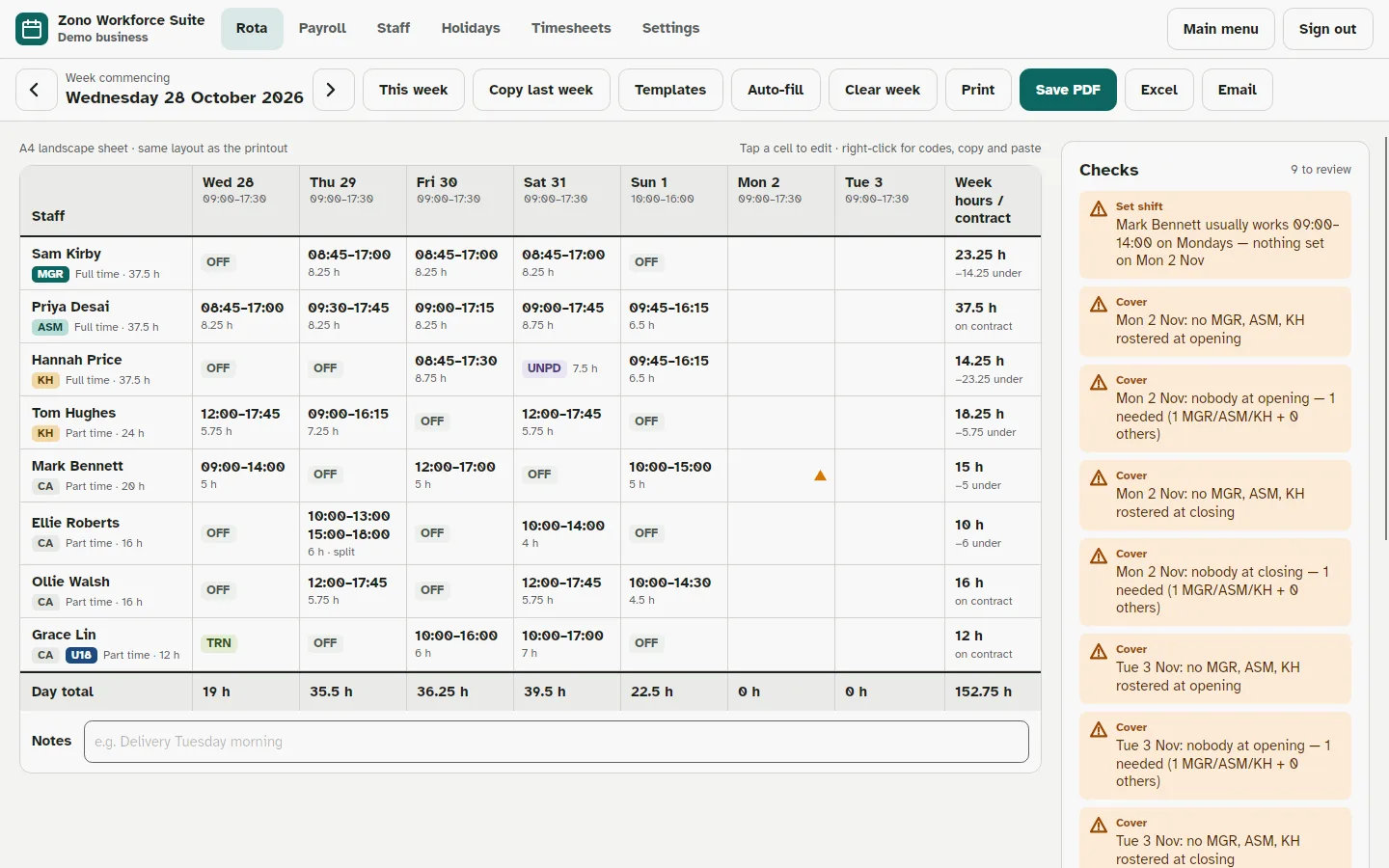
Plan the rota
Fill the week in a few minutes and print it on a single A4 landscape page.
- Copy last week, use a saved template, or fill from everyone's availability
- Warnings for gaps in cover, missed breaks, under-18 rules and hours over contract
- Holiday, sickness, training and split shifts on the same grid
- Print, save as PDF or Excel, or email it to the team
-
Every day
Clock in and out
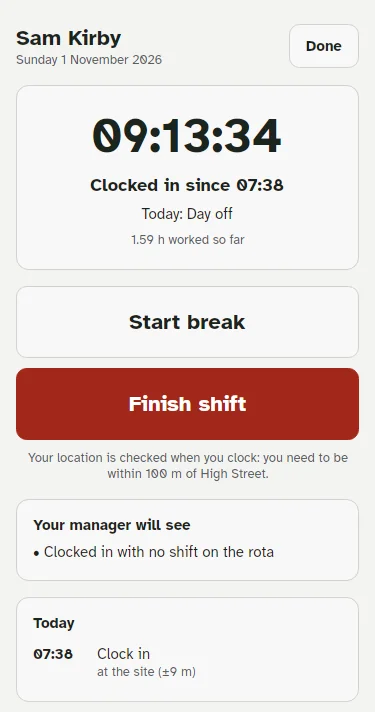
Your team clock in on their own phone with the free Zono Team app, or on a shared screen in the shop.
- Location check: they need to be at work to clock in
- People who work on the move can clock in anywhere
- Breaks recorded, with a reminder of their shift 12 hours before
- Team members only ever see their own shifts and hours
-
Friday
Check the timesheets
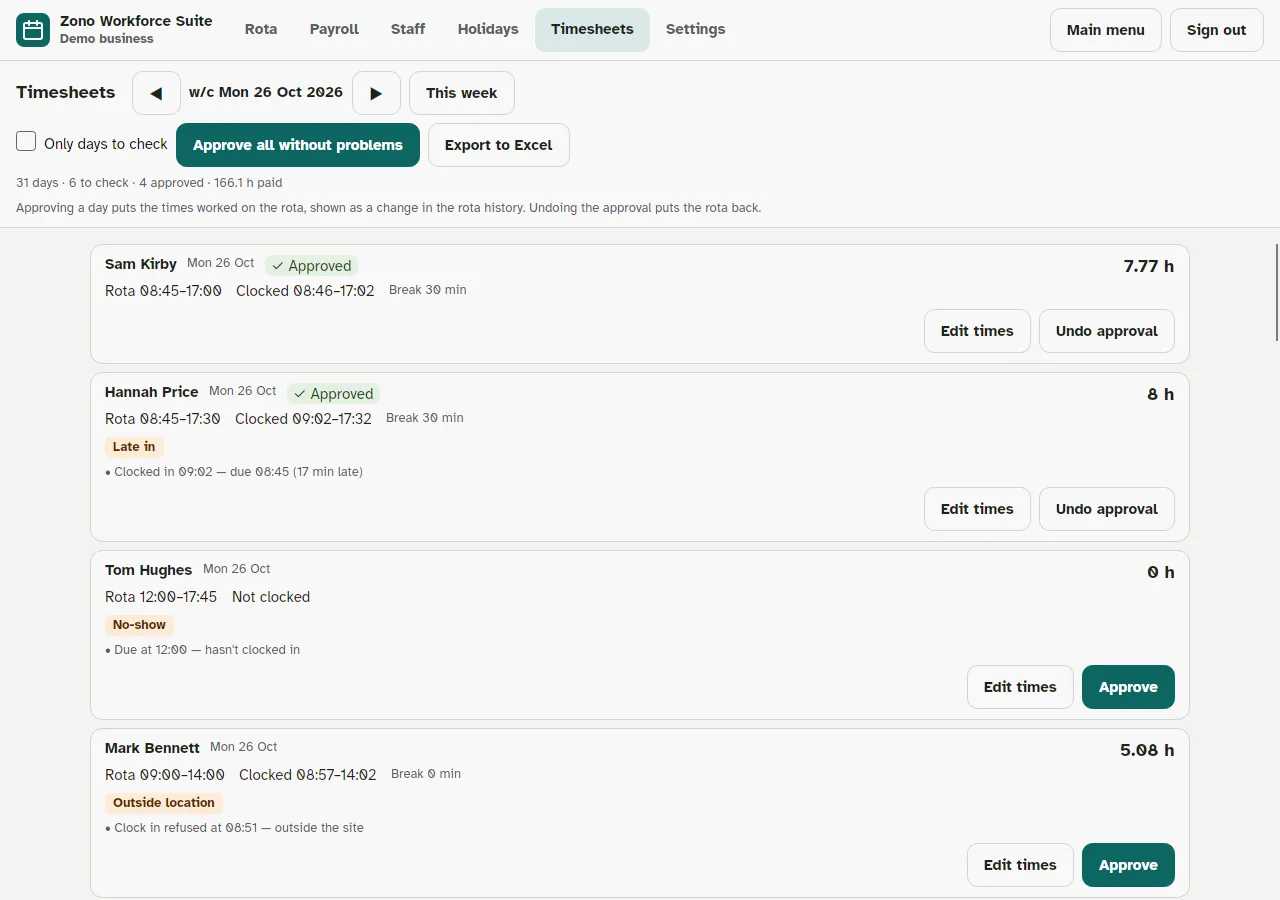
See what was worked against what was planned, and approve the week in one go.
- Late starts, early finishes and missed breaks flagged for you
- Correct a time with a reason; the original is kept
- Approved shifts update the rota, so it shows what really happened
-
Payday
Send payroll hours
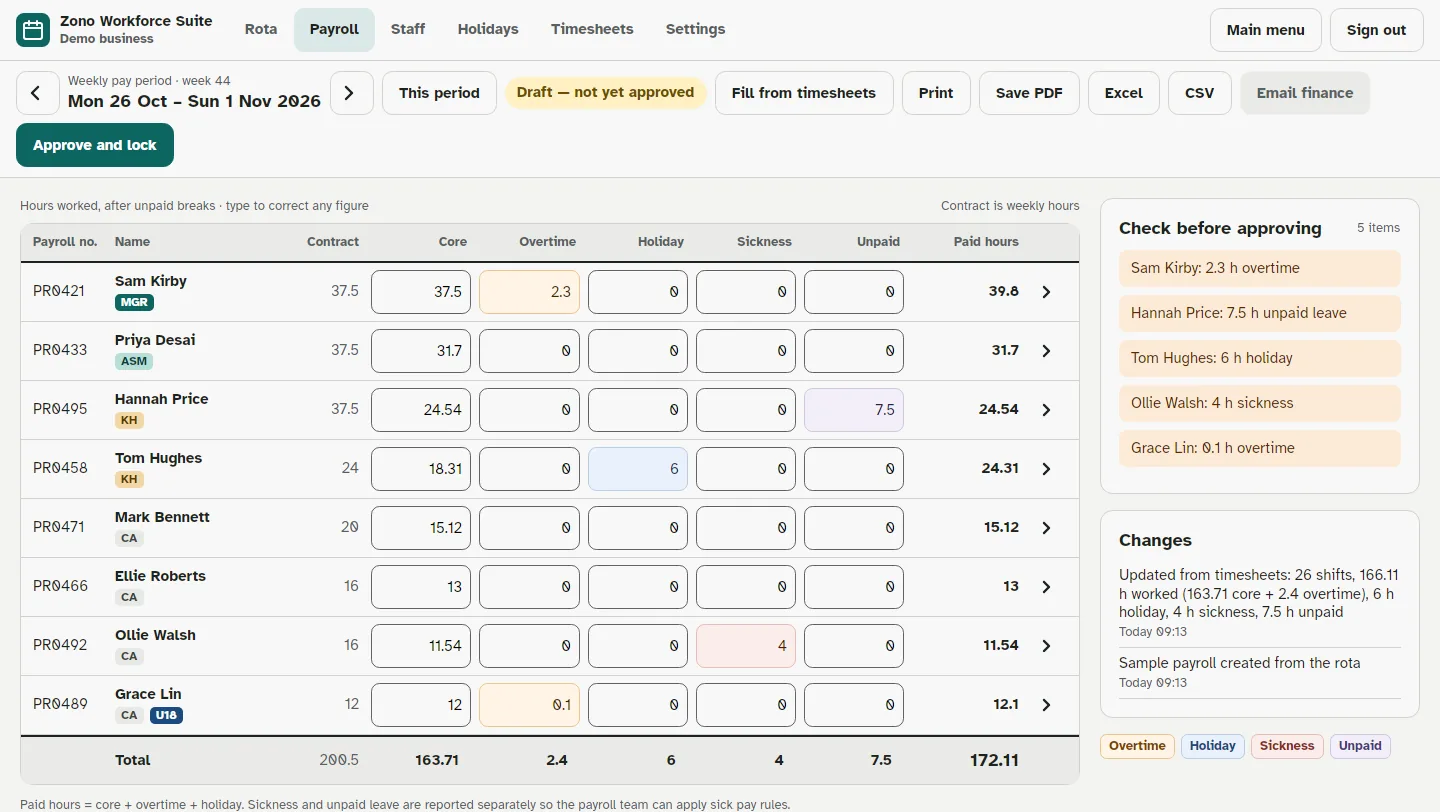
Core hours, overtime, holiday, sickness and unpaid leave for everyone, ready for your payroll team.
- Filled from the rota and timesheets, never typed twice
- Approve and lock the period; every later change is recorded
- Email finance with a PDF and spreadsheet attached
- A reminder on your payroll day, weekly or monthly
Also in the box
Holidays and allowances
Book holiday, see who's off and everyone's allowance left. UK statutory minimum worked out from each contract, with carry-over.
Shop terminal
Turn a PC or tablet by the till into a shared clock: payroll number, then a PIN or password.
Every device in step
Share the business's data through your own OneDrive, Google Drive or a network folder. Add a PC or phone with a join code or QR code.
Your data stays yours
Everything is stored encrypted (AES-256) on your devices and your own storage. ZonoSoft never sees your rotas, staff or hours.
Quick, safe sign-in
Personal logins with two-step sign-in for managers, plus fingerprint or face on Android and Windows Hello on PCs.
Easy to read
Large, clear type designed for legibility, a dyslexia-friendly print option and light or dark themes.
One price per business
Every feature, both apps and all your devices are included. Five team members come with every licence.
- Zono Workforce for managers, Zono Team for everyone else
- Install on as many of the business's PCs and phones as you like
- New versions included
- Try everything free for 30 days first
To buy, create a ZonoSoft account (or do it later in the app), then in Zono Workforce go to Settings, then Licence. Your licence starts as soon as payment is received.
Questions
Where is my data kept?
On your own PCs and phones, encrypted. If you share it between devices, it goes through your own OneDrive, Google Drive or network folder, also encrypted. ZonoSoft's server only knows that a copy of the app is running and, once you buy, your licence and contact details.
Which devices does it run on?
Windows 10 (version 1809 or later) and Windows 11, and Android 6.0 or later. An iPhone and iPad version is being prepared.
Do my team members need to pay?
No. They use the free Zono Team app with a code you make for them. Your licence covers five team members; each extra person is £2 a month or £20 a year.
What happens when the free trial ends?
Nothing is deleted. You can still open, print and export everything, but you can't make changes until a licence is active. Enter a key or register in Settings, then Licence.
Can I cancel?
Yes. A monthly licence runs to the end of the month you've paid for. Your data stays on your devices whatever you decide.
How do I pay?
Register in the app (Settings, then Licence) and email us. We'll tell you how to pay; card and Direct Debit payments are coming soon. Your account at zonosoft.co.uk/portal shows your licence key and what's due.
Is it only for the UK?
It's made in the UK and works out UK statutory holiday, but the rota, clocking and payroll hours work anywhere.
Something else? Email ZonoSoft@outlook.com.